grandMA3 User Manual Publication
Demo Shows
|
grandMA3 User Manual » Show File Handling » Demo Shows
|
Version 2.5 |
Demo Shows are predefined show files created by MA Lighting. There are three demo show files.
These shows can serve as starting points to help the user better understand basic and more complex tasks.
- Simple_Show: With 10 fixtures patched, this show file is a good starting point to familiarize yourself with the basics of the software.
- Demoshow_grandMA3: This show file is built with moving lights, LED tiles, and pars. It's often referred to in examples in the user manual.
- MA_StartShow: Built with macros and advanced layouts, this show file is a good starting point for busking live shows.
To open a Demo Show:
- Press Menu, the menu pop-up opens:
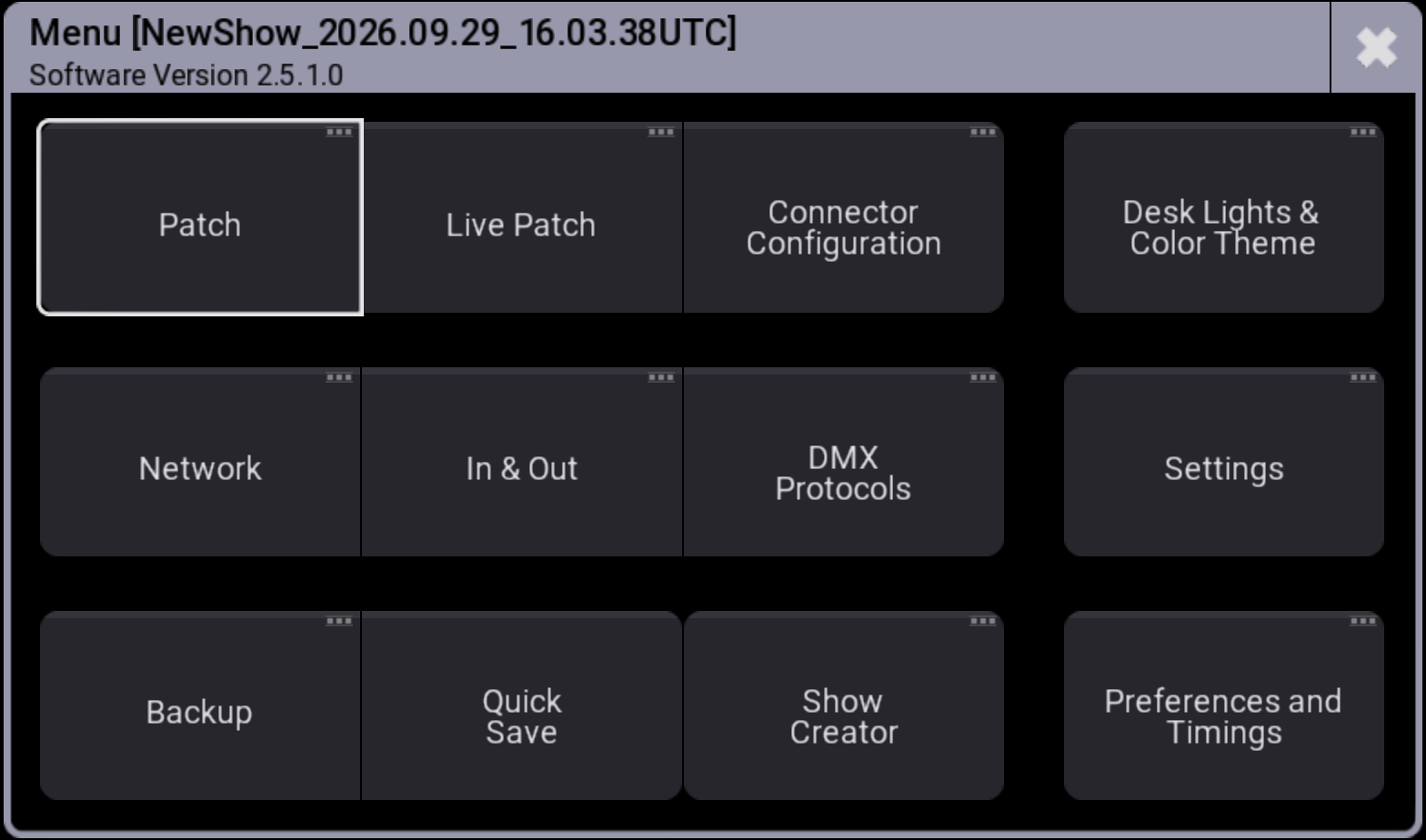
- Tap Backup, the backup menu opens:
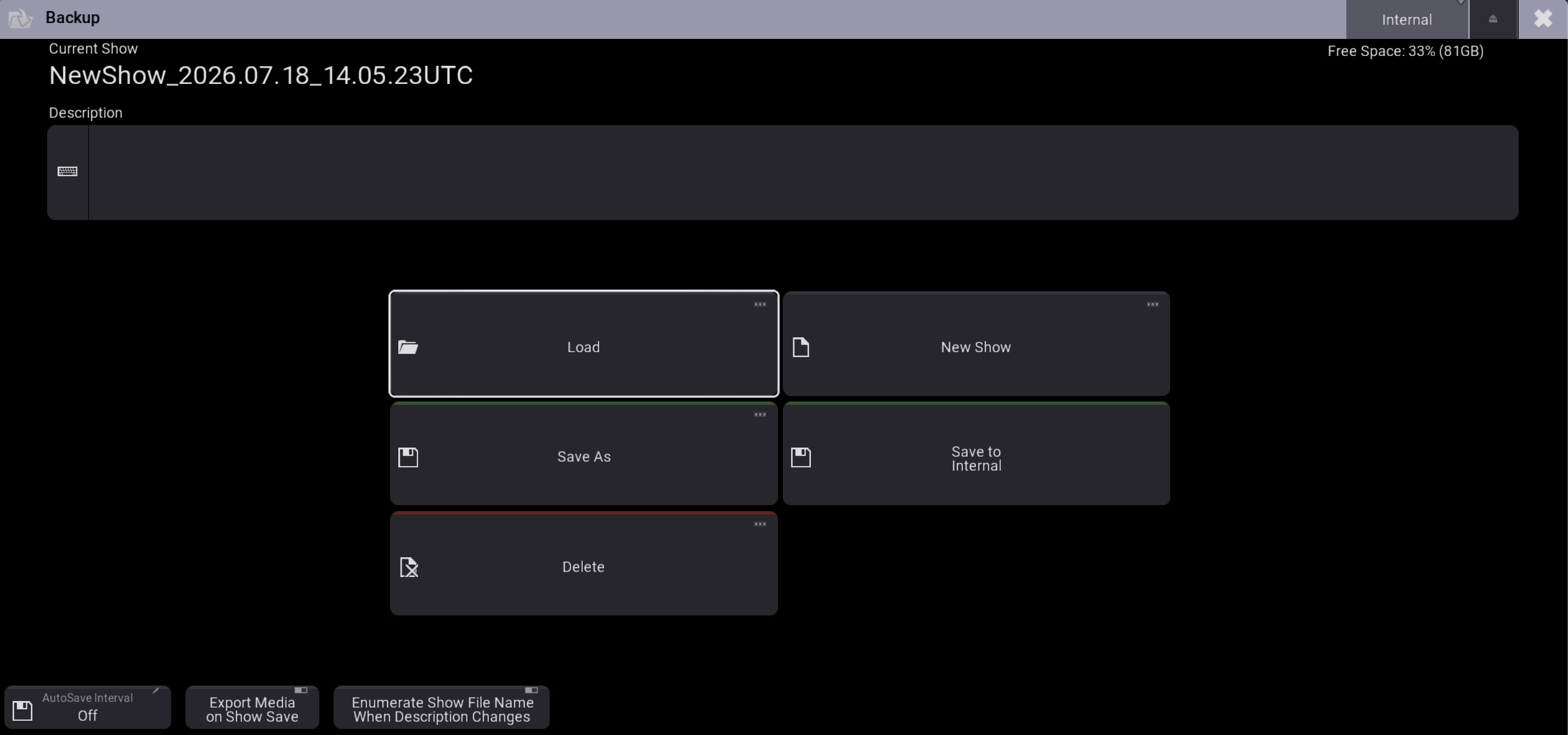
- Tap Load:
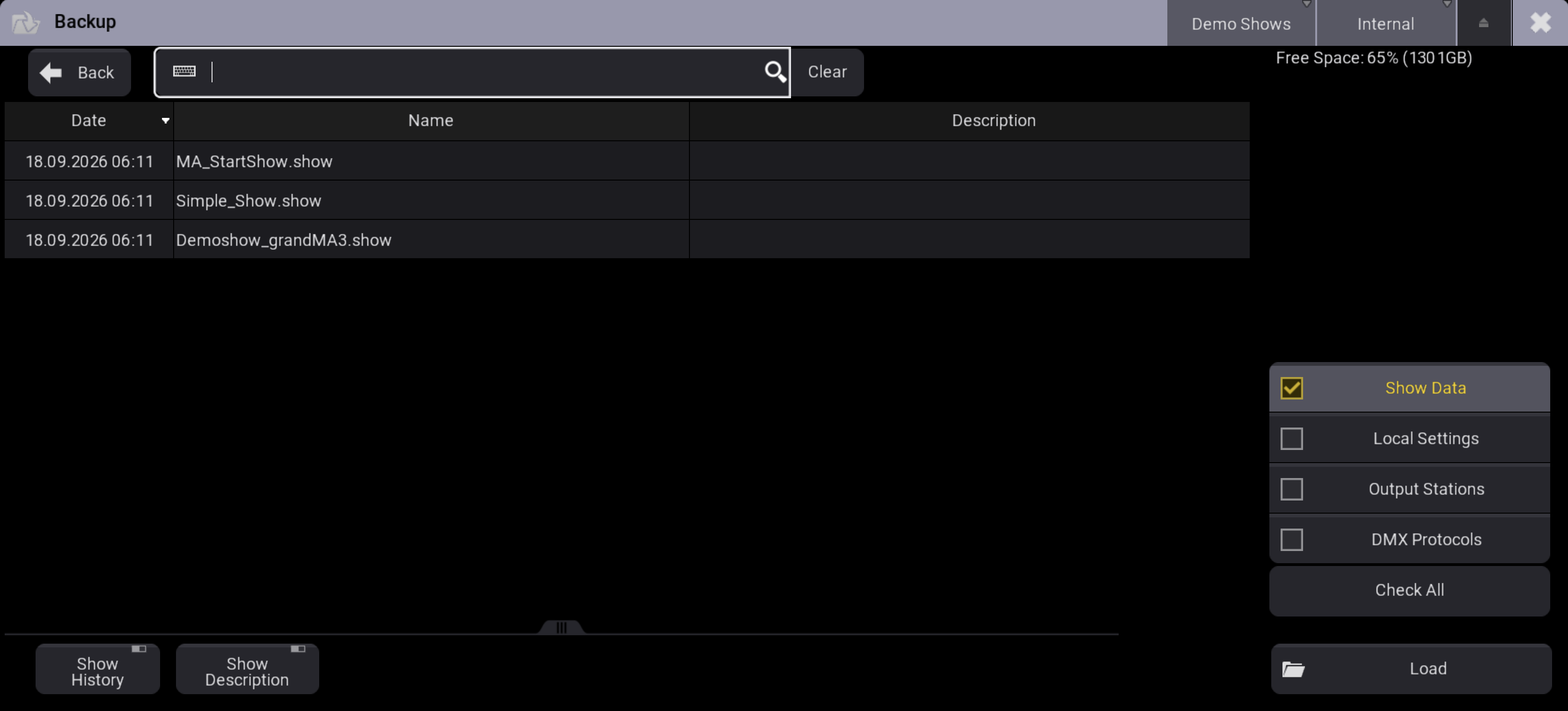
- Tap and hold Shows in the title bar and select Demo Shows.
- Select the desired Demo Show.
- Check the boxes at the bottom right of the window to define which segment of the show file will be loaded. For more information, see Load a Show File.
- Tap Load.
The demo show is loaded.