grandMA3 User Manual Publication
Environmental Fixture Types
|
grandMA3 User Manual » Fixture Types » Build Fixture Types » Environmental Fixture Types
|
Version 2.3
|
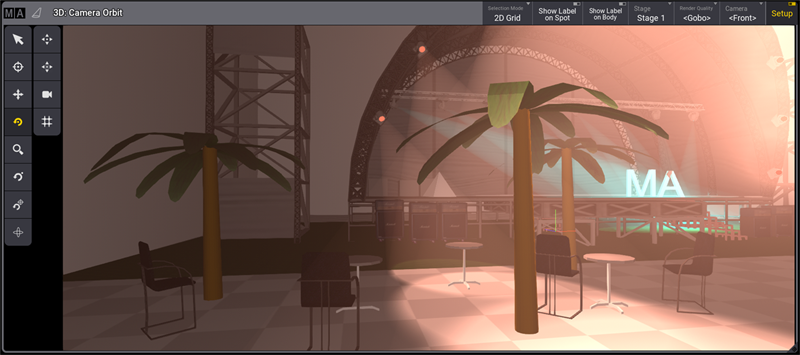
A way to make a stage more realistic is to use environmental fixture types. These fixture types are anything other than lighting fixtures, such as stages, trusses, seating, or scenery.
Environmental fixture types are part of the fixture library in the patch menu.
To list some basic environmental fixtures:
- Press Menu. The menu opens.
- Tap Patch. The patch menu opens.
- Tap Insert New Fixture.
- Search for Set in the library. (All the provided environmental fixture types are using the manufacturer 'Set'.) All fixtures types that have Set in their name or manufacturer name are listed.
For more information on how to add new fixtures, see Add fixtures to the show.
Environmental fixtures do not have DMX addresses.
The Hide Environmental button hides all fixture types that do not have at least one DMX address assigned to a DMX channel. This button can be found in the Patch menu, the Live Patch menu, the Fixture Type section, and the Insert New Fixture dialog.
 |
Hint: |
| www.gdtf-share.com contains even more environmental fixture types. |