grandMA3 User Manual Publication
Create Quickey
|
grandMA3 User Manual » Quickeys » Create Quickey
|
Version 2.3
|
Requirements
- The demo show is loaded.
- The fixture sheet is open.
- The Quickeys pool is open.
- Clear the Programmer and turn off any active playbacks. For more details, refer to the sections Clear Key and Running Playbacks.
Fixture Selection
To select fixtures 9 through 13:
- Type
Fixture 9 Thru 13into the command line. - Press Please to confirm.
Creating a Quickey
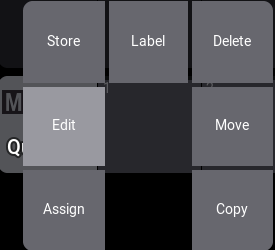
- To open the Quickey editor, use Swipey on an empty pool object and release your finger above Edit.
- To open the code list, tap Code.
- To open the filter bar, tap
 and type "full":
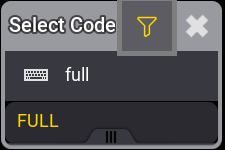
- Tap FULL. The code list closes.
- Tap
 to close the editor. A new Quickey pool object is created.
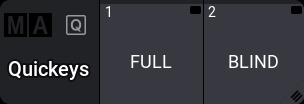
- Create a second Quickey with the BLIND function. The pool should look like this:
- To set the dimmer of the selected fixtures to 100%, tap FULL in the Quickey pool.
- To toggle blind, tap BLIND repeatedly.
For more detailed information about the used keywords, see Full and Blind.