grandMA3 User Manual Publication
New Show File
|
grandMA3 User Manual » Show File Handling » New Show File
|
Version 2.3
|
To create a new show file:
- Open the Backup menu and tap New Show.
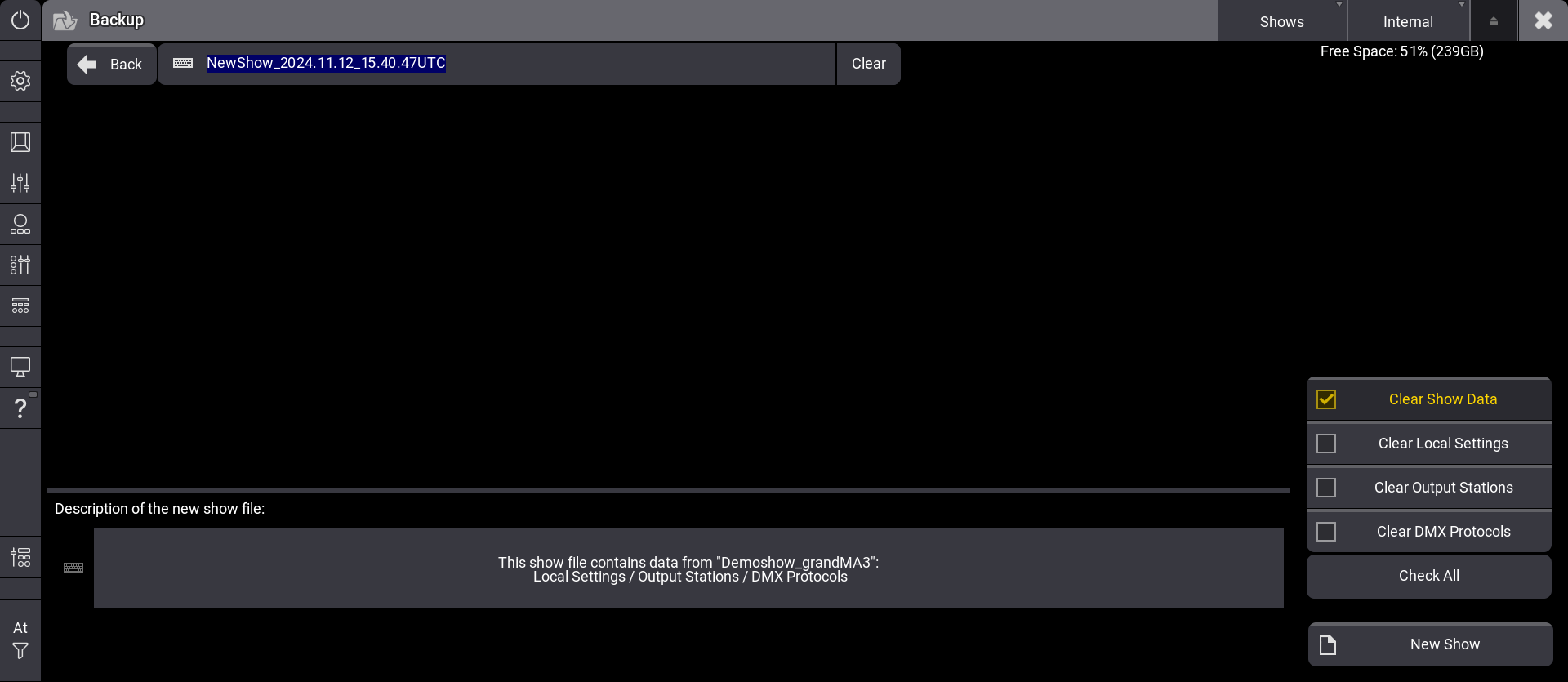
- Type to overwrite the file name or keep the automatically generated show file name.
- Select the show segments you would like to omit from the new show file. The description changes accordingly.
- Tap New Show in the bottom right corner.
- When the currently loaded show file has unsaved changes, a Warning pop-up appears.
- Tap Save to store the currently loaded show. This might not be the right option. Tap Do not Save to not make any changes to the loaded show file. Tap Cancel to cancel the creation of a new show.
-or-
When the currently loaded show file does not have any unsaved changes, the Create New Show pop-up appears. Tap New Show. A new show file has been created.

|
Hint: |
|
It is possible to use local letters in the filename, like æ, õ, and ä.
|
Clear Show Segments
To define which segments of the current show file should be cleared for the new show, use the four checkbox buttons on the right side:
- Clear Show Data: Clears the show-relevant data from the show file. Includes the patch, pool objects, user, and user profiles. This checkbox is marked as default.
- Clear Local Settings: Clears the local settings. For example, this includes web remote settings and onPC settings.
- Clear Output Stations: Clears the setup of all DMX ports, the SMPTE settings, and the MIDI settings.
- Clear DMX Protocols: Clears the configuration of all available DMX protocols (Art-Net and sACN).
Selected data will be cleared after tapping New Show.
- Check All is a fast selection for all checkboxes.
- All enabled show segments will be omited from the newly created show file.
- An automatically generated description text of the kept show segments can be found in the Description area. After creating a new show file, you can change the description in the backup menu.
|
|
Hint: |
|
Make sure to at least select one checkbox button to enable New Show.
|