grandMA3 User Manual Publication
Save a Show File
|
grandMA3 User Manual » Show File Handling » Save a Show File
|
Version 2.3
|
Save To a Drive
 |
Hint: |
| Saving a show file to an external drive automatically saves a show file to the internal drive. |
To select and change the drive to save a show file on, for example, the USB drive:
- Open the Backup menu.
- Tap and hold Internal in the top right corner. A dropdown menu opens.
- Select a drive, for example, the external USB drive Removable D:\. Save To Internal changes its name automatically adjusts to the name of the drive.
- Tap Save to Removable D:/ to save the show on the selected USB drive.
Quick Save
To save the show file quickly:
- Press Menu and tap Quick Save.
- OR-
- Pressing quickly 2 x Menu also makes a Quick Save.
To save a show by using the command line, use the SaveShow keyword.
Auto Save
To save the show automatically in regular intervals:
- Press Menu. The menu opens.
- Tap Backup and AutoSave Interval. A dropdown menu opens.
- Select the desired Auto Save Interval, for example, 15 Minutes.
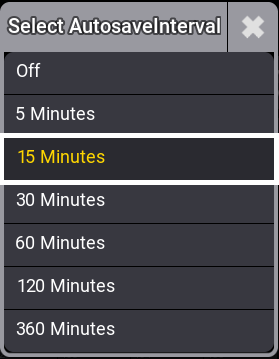
AutoSave Interval - The auto save is set and a countdown with the time until the next auto save will be displayed in the title bar of the Backup menu.

Backup menu - Titlebar with Autosave Interval enabled.
Save Show As
To save a show with a new name:
- Open the Backup Menu and tap Save as.
- Type a new name for the show file in the name field. Tap Save and confirm the pop-up window with OK. The show file is saved by its new name.
Edit Description
To edit the description of the show file:
- Enable Edit Description. A text editor opens.
- Type a text with the keyboard or use the on screen keyboard (
 ).
).
Full Disk Warning
If the show file cannot be saved due to a full disk, a warning pop-up appears:
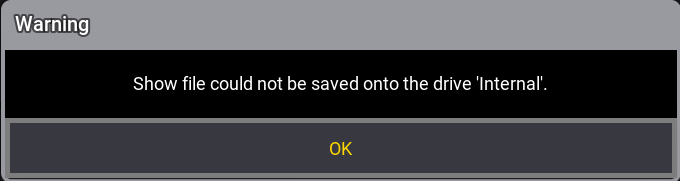
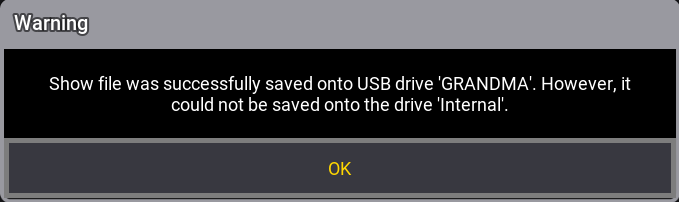
To indicate that the show file is partially saved, a pop-up appears:
For more information about Free Disk Space, see Show File Handling.
Save Option When Shutting Down the Station
If an attempt is made to shut down before saving the show file, a Warning pop-up appears:
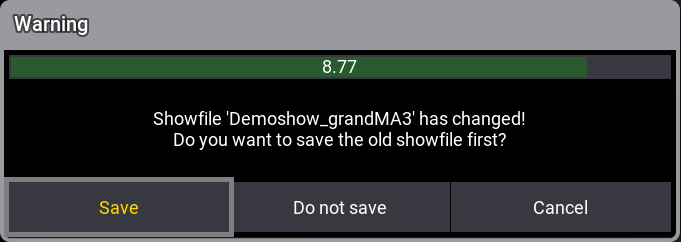
- Save: Saves the show file and then shuts down.
- Do not save: Shuts down without saving the show file.
- Cancel: Cancels the process.
|
Hint: |
| The show file name is limited to a maximum of 31 characters. |
|
Hint: |
| The show file name must not contain the following characters: \ " $ * ? ^ | / : < > ` |
For more information about the shutdown process, see Shut Down the System.