|
grandMA3 User Manual » Agenda » View Modes
|
Version 2.4 |
Open an agenda window, see Add Windows. From the add window dialog, tap Tools, and then tap Agenda Viewer.
The agenda window can display data in five view modes: Sheet, Year, Month, Week, and Day.
To change the view, tap View Mode in the title bar.

|
Hint: |
| To sort the agenda entries in the sheet view, right-click or tap and hold a column header. |
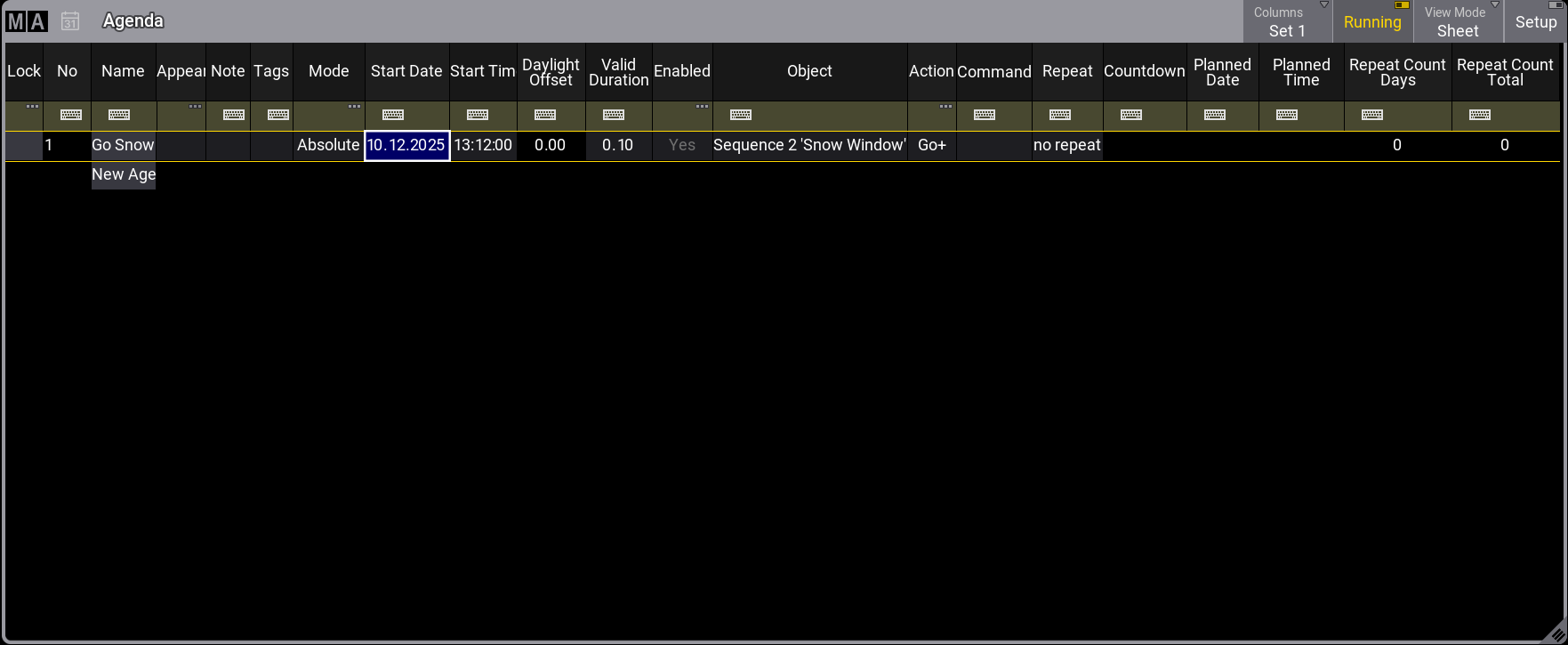
Sheet view mode displays all agenda entries in a spreadsheet format; it can be filtered using the filter toolbar. See Temporary Filtering.
Year view mode displays a calendar view of the year. The current date has a light gray background. Days with at least one enabled event are highlighted in green. A bright red background indicates days that have all events disabled.
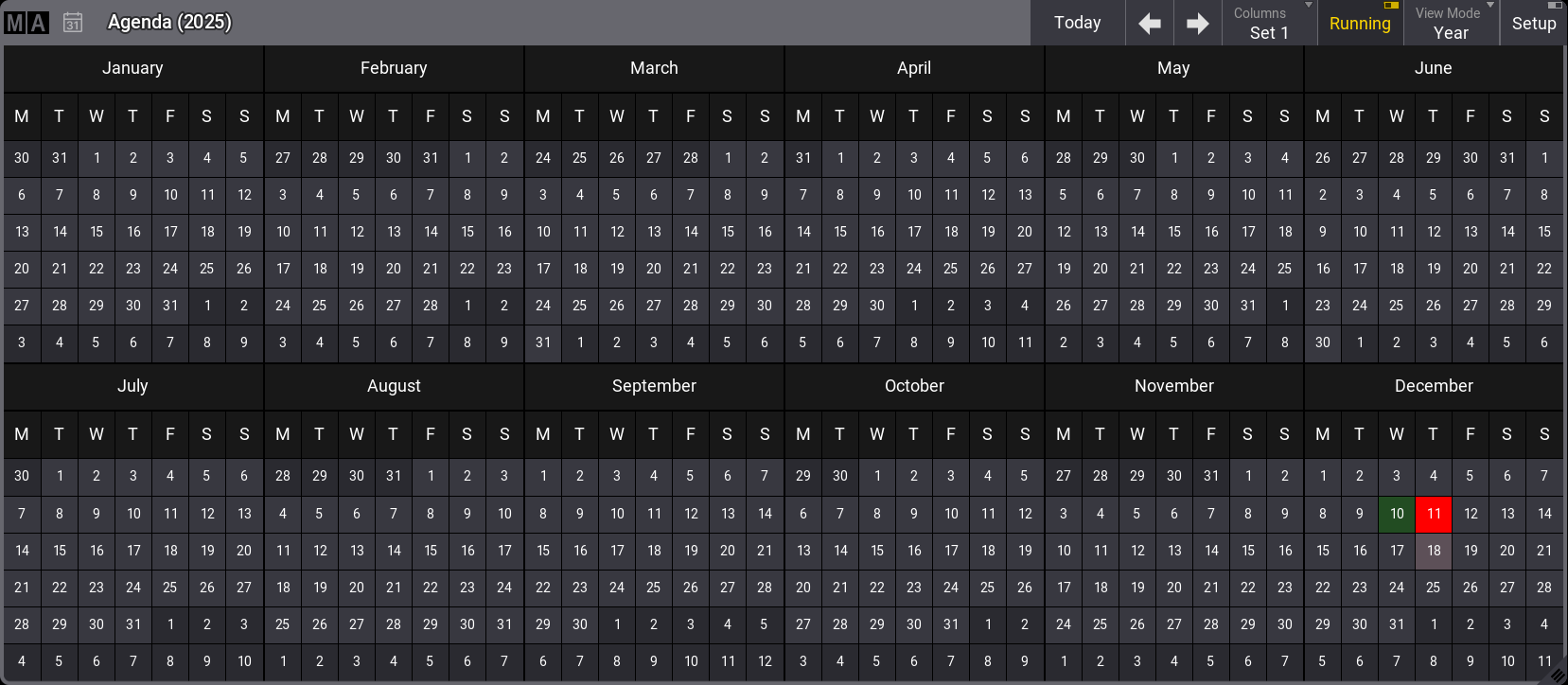
Agenda year view mode
Month view mode displays all agenda entries of the selected month:
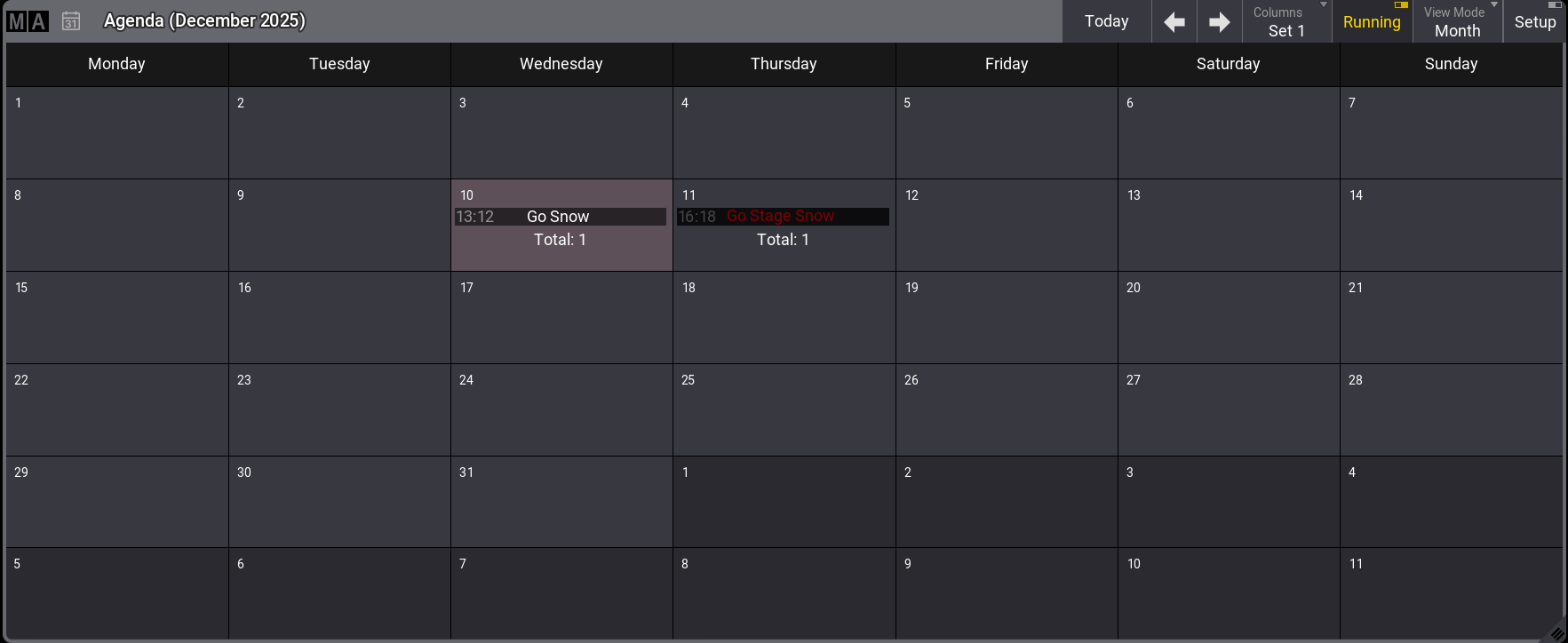
Agenda month view mode
Week view mode displays all agenda entries of the selected week:
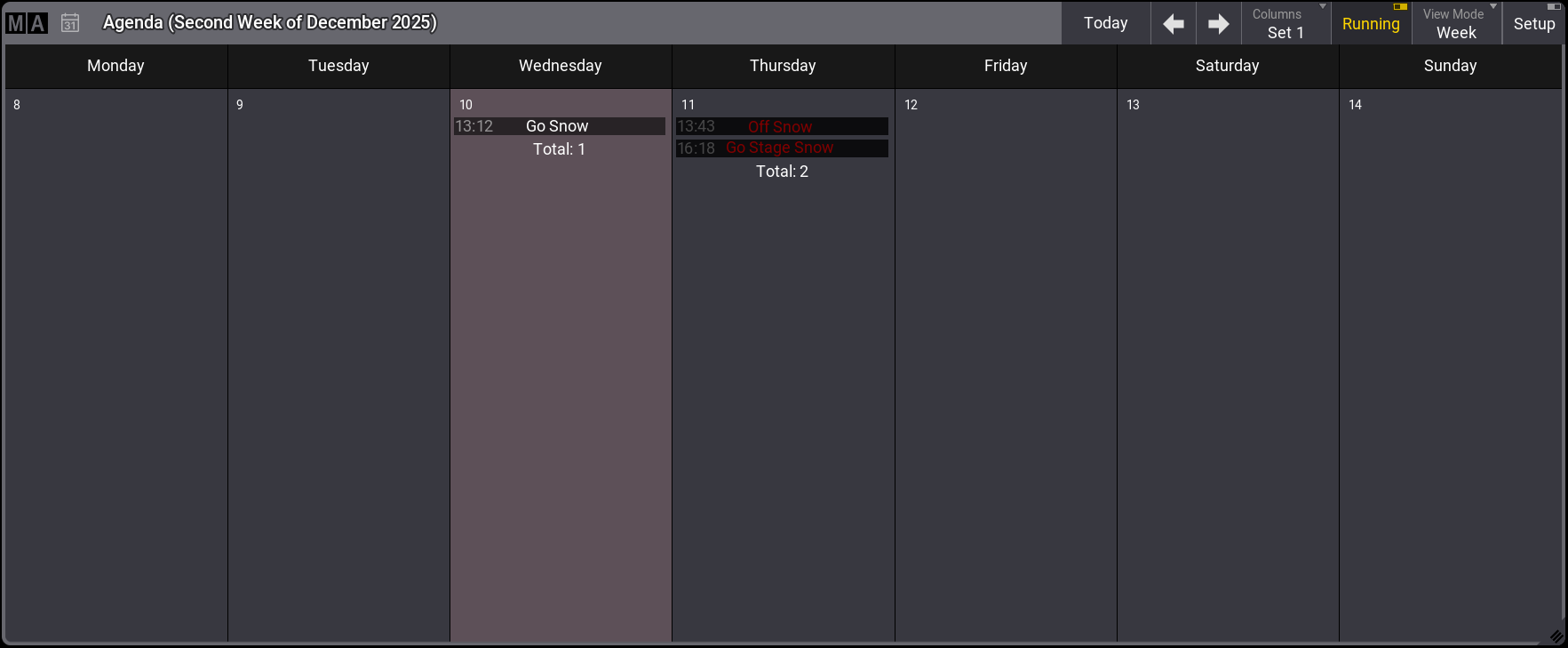
Agenda week view mode
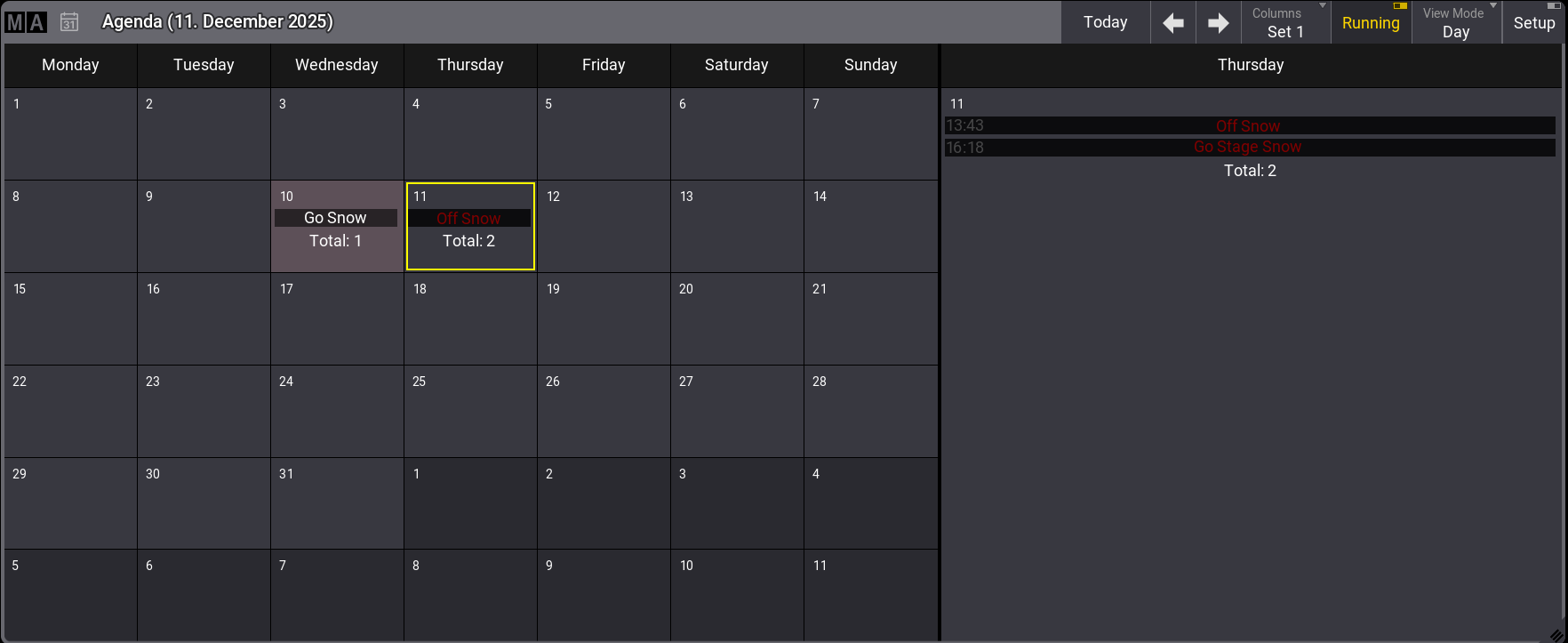
- The Day view mode is divided into two sections. It displays a smaller monthly overview on the left and entries for the selected day on the right.
|
|
Hint: |
| - Disabled events are displayed with red font color. - Repeated events display  on the right side. This applies to the month, week, and day view modes. on the right side. This applies to the month, week, and day view modes. |