Master Area
|
grandMA3 User Manual » Device Overview » Control Elements » Master Area
|
Version 2.3
|
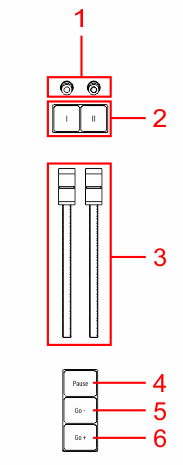
- Master knobs 1+2
- Master keys 1+2
- Master faders 1+2
- Pause key
- Go- key
- Go+ key
Go+, Go- and Pause
The Go+ [Large] key, the Go- [Large] key, and the Pause [Large] key are located in the lower part of the master area. These keys execute the Go+, Go- or Pause command for the selected sequence.
For more information about Go+, Go- and Pause, please see the Go+[Large] key, Go-[Large] key, or the Pause[Large] key topic.
Master Fader 1 and Master Fader 2
The two faders in the master area are master fader 1 and master fader 2.
By default, master fader 1 is set to the master function for the selected sequence.
By default, master fader 2 is set to the crossfade function for the selected sequence.
To change the function of the faders, read the Assign Key and the Custom Master Section.
Master Key 1 and Master Key 2, Master Knob 1 and Master Knob 2

|
Restriction: |
| Master keys and master knobs are only available on grandMA3 full-size (CRV) and grandMA3 light (CRV) consoles. |
The master keys 1+2 and the master knobs 1+2 are located in the upper part of the master area.
By default, these are set to toggle Highlight and Solo on and off and set the intensity of these.
To change the function of these buttons and knobs, please read the topics Special Executors and Assign Object to an Executor.
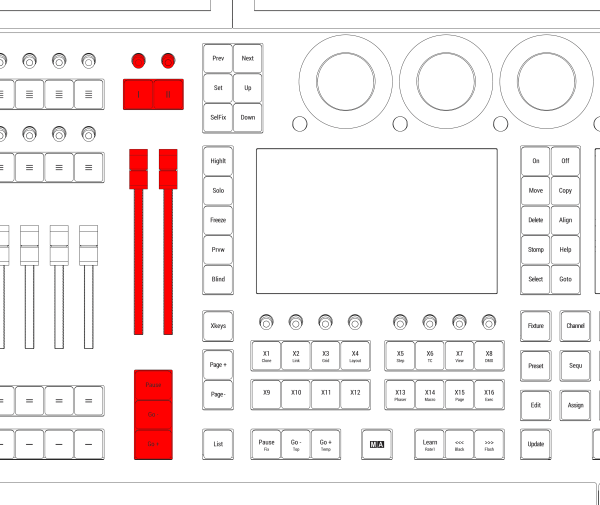
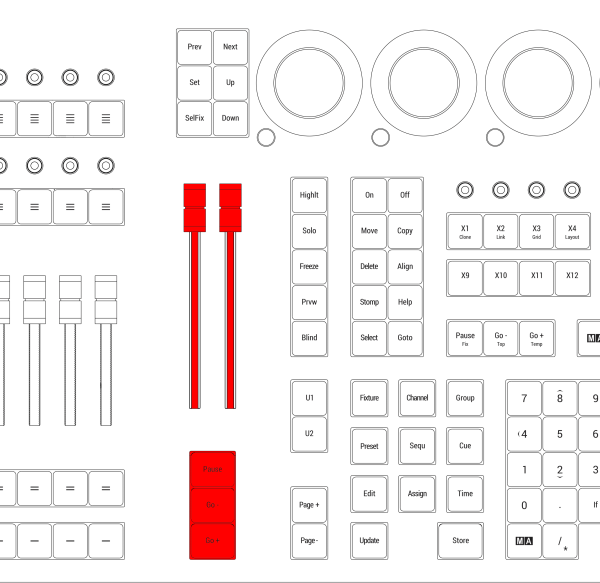
The master area is located between the command area and the executor area.