grandMA3 User Manual Publication
Connect USB Devices

grandMA3 User Manual » First Steps » Connect USB Devices
Version 2.4

You can connect an external USB flash drive, USB hard drive, USB mouse, USB keyboard, or external touchscreen to the grandMA3 device via its USB ports.

Depending on the type of the grandMA3 device, there are up to 6 USB connectors:

  • 1x USB 3.0 at the front, on the right of the console
  • 1x USB 3.0 inside the keyboard drawer
  • 3x USB 2.0 and 1x USB 3.0 on the rear panel
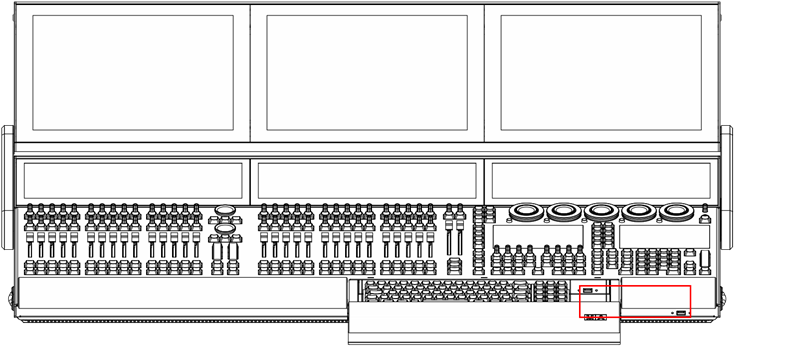
grandMA3 full-size USB 3.0 (type A) inside keyboard drawer and on the right
grandMA3 full-size (CRV) rear panel USB 2.0 (type A)
grandMA3 full-size rear panel USB 3.0 (type A)
grandMA3 compact (XT) rear panel USB 3.0 (type A)


To connect a grandMA3 onPC device with the computer or laptop, use the USB connector (type B):
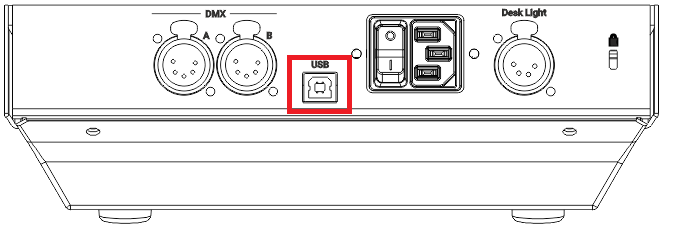
grandMA3 onPC fader wing rear panel USB 2.0 (type B)
grandMA3 onPC command wing rear panel USB 2.0 (type B)

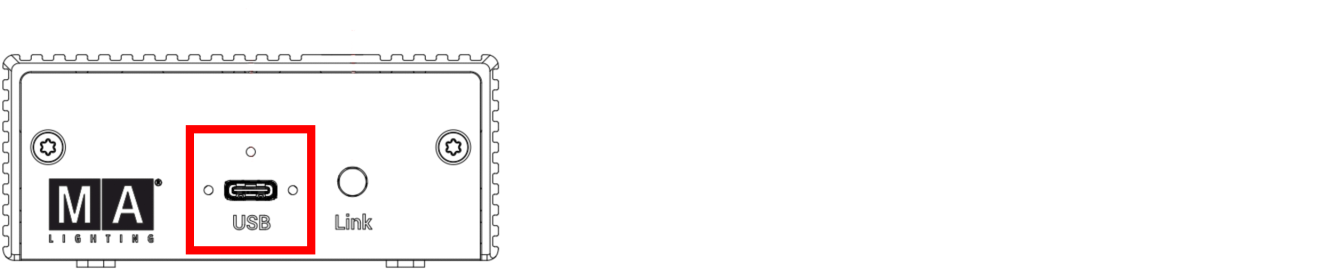
To connect a grandMA3 viz-key or a grandMA3 onPC DMX-key (starter) with the computer or laptop, use the USB connector (type C):

Update this description text.

grandMA3 viz-key front panel USB 2.0 (type C)
Update this description text.
grandMA3 onPC DMX-key (starter) front panel USB 2.0 (type C)