The DMX Remotes tab uses DMX channels as remote triggers. The DMX source can also
be the console itself.
To learn more about the hardware part of the input, read the Connect DMX topic.
To learn more about the general Remote settings, see Remote In and Out.
The following parameters are used in the DMX Remotes configuration:
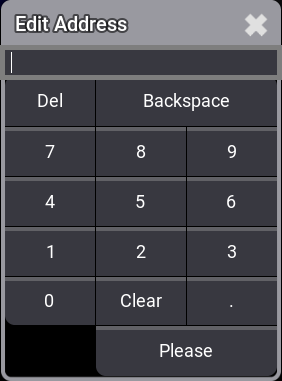
Address: Sets the DMX Address.
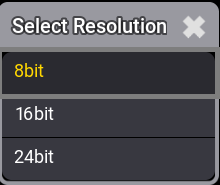
Resolution: Sets the DMX Resolution.
Trigger On Session Change: If set to Yes, the target is triggered every time the DMX calculation of the session changes. This includes, for example, the startup of a console or adding a processing unit to the session. This is valid as long as the DMX address is within the range of values between Trigger On and Trigger Off. This means if Trigger On is set to 0, the target is triggered even if there is no external DMX signal. If Trigger On Session Change is disabled, a change in the DMX calculation will not trigger the target.
Hint:
Trigger On Session Change is set to Yes in the show files that were saved in version 2.3 or prior. This matches the behavior in these versions. In the new show files, Trigger On Sesssion Change is disabled by default.
Example
To adjust the settings of the DMX Remotes, tap DMX Remotes. The DMX Remotes
menu opens:
To set the DMX address the DMX Remote input should listen to, right-click or tap and hold Address.
DMX address pop-up
To adjust the DMX resolution, open the Resolution cell of the DMX Remote entry you want to edit.
DMX resolution pop-up
Hint:
The DMX Remote can be controlled by 16 bit or 24 bit DMX channels. This allows for more precise control.
Hint:
On the controlling DMX device, the 16 bit and 24 bit channels must be patched directly after the 8 bit
channel.