|
grandMA3 User Manual » Masters
|
Version 2.5 |
Masters are timing and level overrides. There are different types of masters that fulfil different purposes. Read more about them in the other topics in this section.
Quick access to all masters is available in the masters window. For more information on this menu, see Masters Window.
Assign Masters to Executors
Masters can be assigned to executors or any of the special executors in the master section, custom section, or the grand master.
They can be assigned using the assign menu. Tap Object in the top-left corner, then Master at the top of the menu to display a tree structure separated into the five groups of masters.
There are two functions that are specific to masters that are assigned to a fader. They can be accessed in the Edit Setting tab of the assign menu.
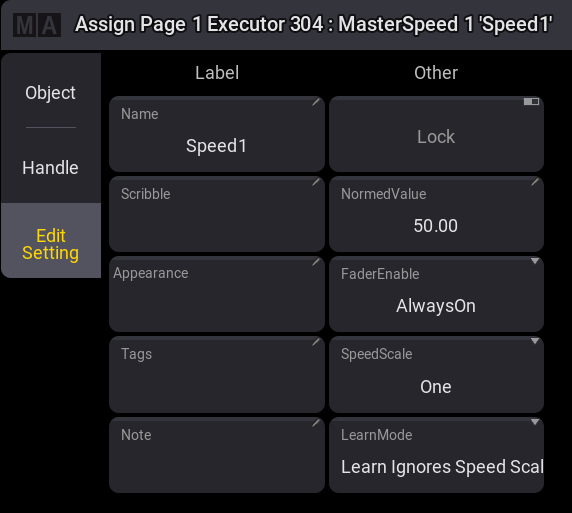
- Normed Value:
This is a representation of the current fader value of the master. Therefore, it defines the default fader position when the master gets assigned to an executor. -
Fader Enable:
Define the master mode. For more information see below.
The functions SpeedScale and LearnMode are specific to speed masters. For more information, see Speed Masters.
Masters can also be assigned and adjusted using the Master keyword.
Master Modes
Masters have a mode that defines how they operate.
There are three available modes:
-
Toggle:
Switch the master On or Off. The fader value of the master can always be changed and affects the output when the master is on. The indicator colors are gray (Off) and green (On).
Masters that are set to toggle can be executed with the button function Temp when they are off. They will then be temporarily enabled to their current master fader level. For more information about Temp, see Temp Keyword. -
Always On:
The master is always On and cannot be switched Off. The fader value of the master can always be changed and affects the output. The indicator color for Always On is white. -
Disabled:
The master is off and its fader value internally uses its default value. For example, the grand master uses 100% and the program time uses 0s. The indicator color for Disabled is red.
The modes of all masters can be changed in Menu – Preferences and Timings – Masters.
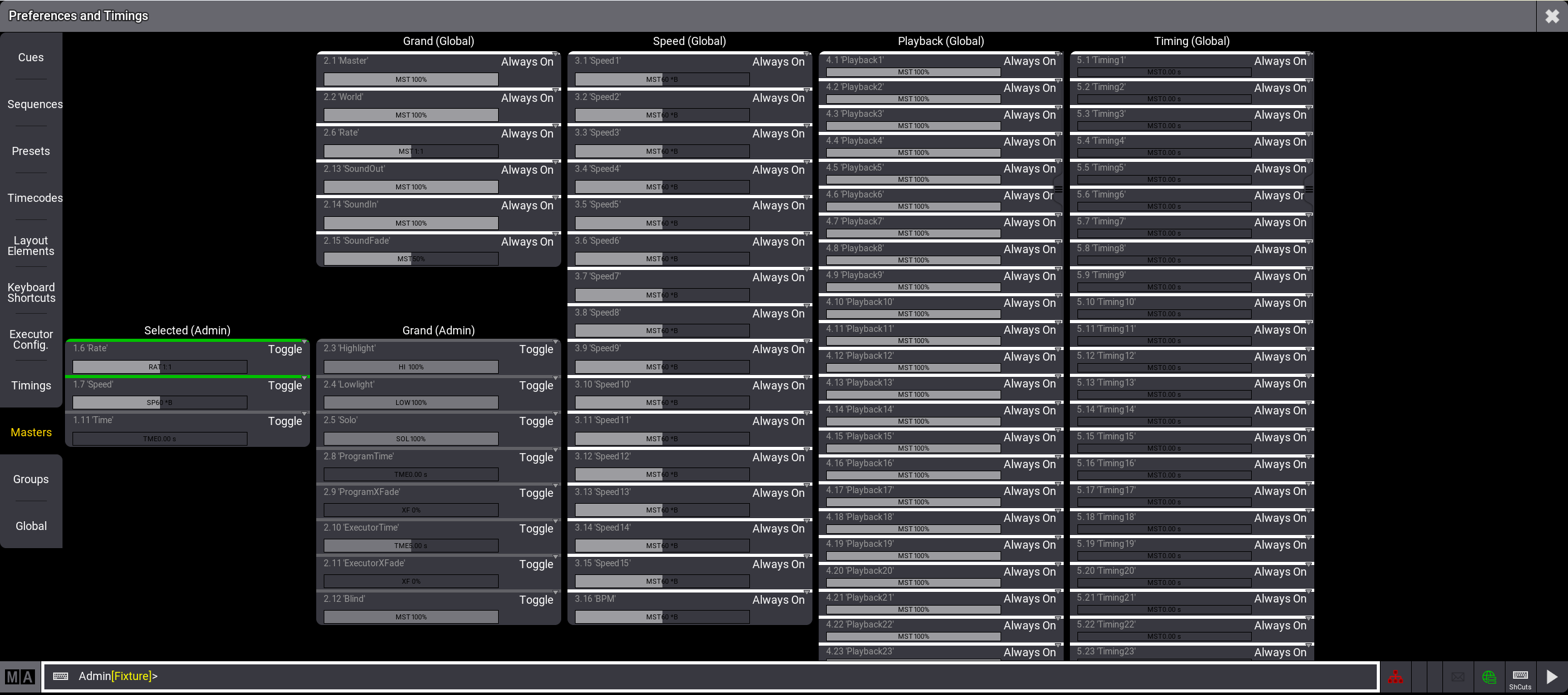
This menu displays the masters separated by their type and their membership in the show file.
Masters can have a global membership which means that these masters are controlled by all users of the show file. Masters with a user membership are located within the user profile which means that every user profile has its own individual set of these masters. Changing one of these masters does not affect the same master in a different user profile.
The section of masters that are controlled by the user profile displays the name of the user behind their type, for example, Selected (Admin) for the masters that control the selected sequence of the Admin user.
Masters of the global membership display (Global) behind their type, for example, Playback (Global).
The mode can be changed by tapping the current mode of the master. This toggles through the three modes.
This menu also shows the current value of each master.