|
grandMA3 User Manual » Executors » Executor Configurations
|
Version 2.4 |
Executor key and fader configurations can be saved and reused. Read the Assign Object to an Executor topic for information on changing the assignment.
The configurations are stored in an Executor Configuration pool. This can be created as any other window. Read the Add Window topic to learn how.
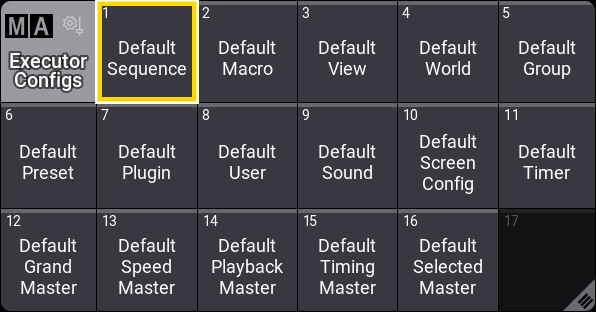
Each object type that can be assigned to an executor has a default executor configuration used if nothing changes. This is described below.
The selected pool object is used as the default for sequences.
This configuration can be changed in the Assign Menu.
The Assign Menu can be opened by pressing Assign and then an executor button. The menu is used to set up executors. Learn more in the Assign Object to an Executor topic.
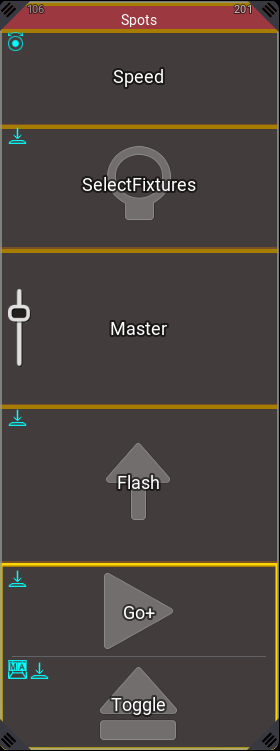
In the example above, there are several Keys and Encoders that have a different assignment than the original saved configuration. The different assignments are marked with a cyan color bar.
In the title bar of the assign menu, is Executor Config. button.

Executor Config. shows the currently selected configuration, and tapping it opens a small select pop-up where any existing executor configurations can be selected or a new one can be created.
Load is used to load the selected configuration onto the keys, encoders, and faders. Save can be used to save the currently assigned functions to the selected configuration.
For more information on the pop-up and creating and editing executor configurations in the handle tab of the assign menu, read Assign Object to an Executor.
Executor Configurations Editor
To open the editor, tap and swipe on a pool object and tap Edit:
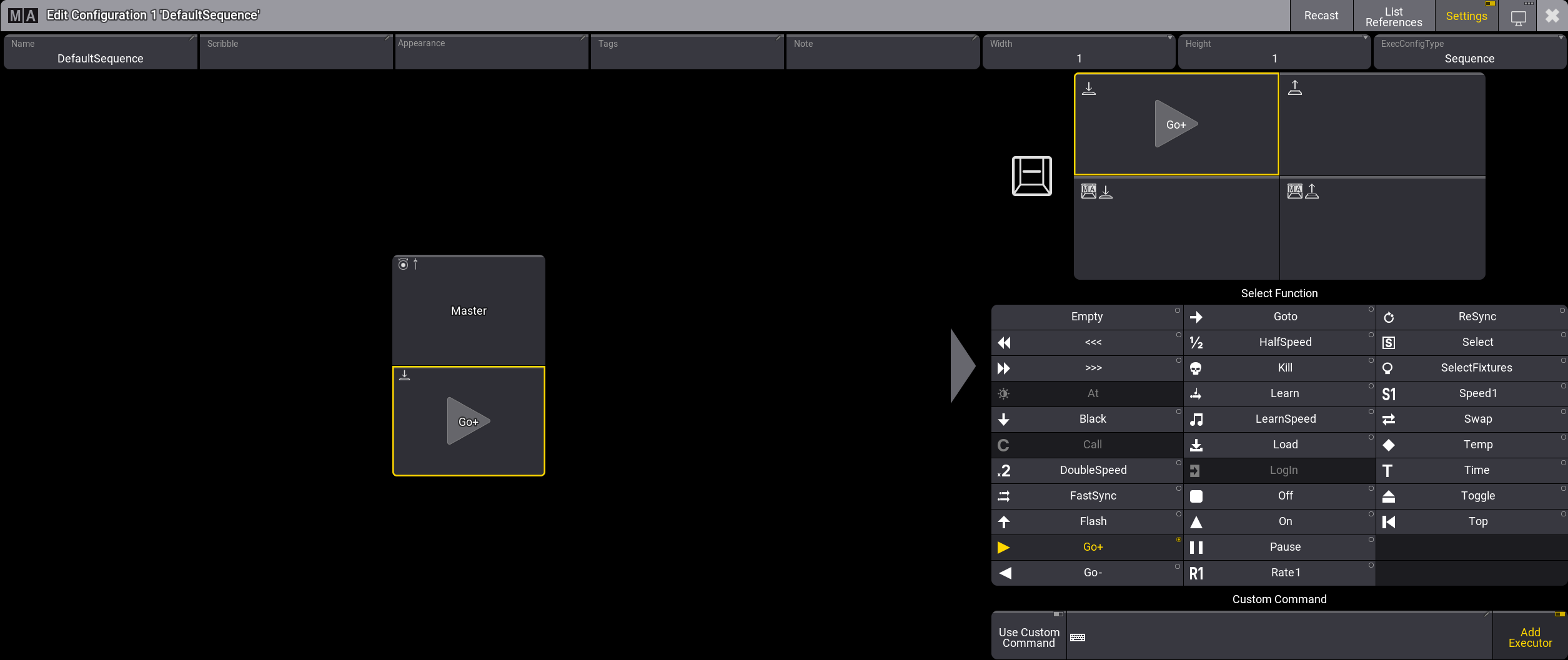
Use the editor to customize executor configurations. The buttons on the left side of the menu always come in pairs and represent a fader/encoder and key executor. This is indicated by the icons in the upper left corner of the buttons (
 /
/  ). An executor configuration can be loaded to any type of executor. Depending on for which type of executor (encoder, fader, or key) the configuration is used later, the functions set in the editor are loaded to the executor. For example, when encoder left/right are defined, and used later on an executor in row 200, the fader would have an empty assignment.
Select a fader/encoder or key executor on the left side of the editor, to edit its trigger options and functions on the right side of the editor. For more information about functions and trigger options, see Assign Object to an Executor.
The title bar of the editor offers the following options:
Recast is used when a configuration has been saved with changes, and these changes should also be applied to the other executors that use this configuration. Saving a change to a configuration does not automatically apply the changes to other executors. Pressing Recast applies the changes to all the executors using the configuration. The recast can also be applied using the Recast keyword.
Tapping List References in the title bar opens an info pop-up showing the objects that reference the configuration and what other objects this configuration might depend on.
Enabling Settings in the title bar displays the following options below the title bar:
- Name: Opens the Label dialog.
- Scribble: Select a Scribble from the drop-down or tap New to create a new one.
- Appearance: Select an Appearance from the drop-down or tap New to create a new one.
- Tags: Opens the Tags assignment editor.
- Note: Opens the Note editor.
- Width: Edit the width of the executor configuration.
- Height: Edit the height of the executor configuration.

Hint: The width and height define the scale of a new executor when using the configuration. It is possible to increase the width and height of the configuration and edit the functions for additional executor button and decrease it again in the editor. When loaded to an executor and the executor is expanded later, all information of the assigned functions will be loaded. - ExecConfigType: Select an ExecutorConfigType as a preference for which object type you want to use the executor configuration. Functions that cannot be used with the selected type are grayed out in the list below. However, it is still possible to assign it to executors of different object types.
Executor Configuration Preferences
The default executor configuration for each object is stored in the Preference and Timing.
This is accessed by pressing Menu / and then Preference and Timings, and finally Executor Config.
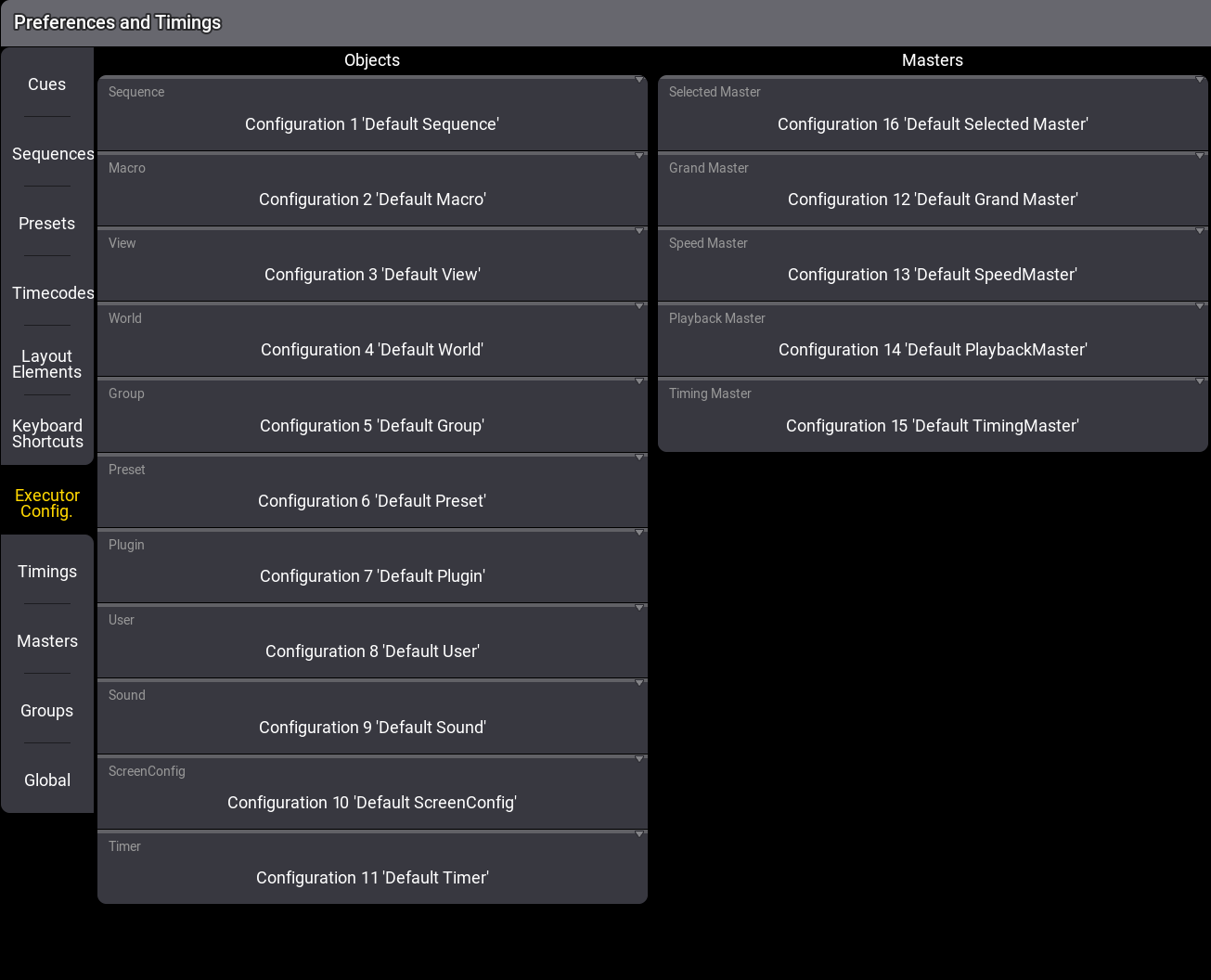
This menu has a setting for each object type that can be assigned to an executor. Tapping each of these settings opens a small select pop-up where any of the executor configurations can be selected as the default settings for the object type.