|
grandMA3 User Manual » Timecode Show » Track Groups
|
Version 2.4 |
Timecode shows are arranged in a hierarchical structure, with Track Groups as children of the timecode show. Track groups can contain one or more Tracks.
Markers can be assigned to the track group. Time Ranges are assigned to tracks. Read the following topics to learn more about these elements.
To add a track group to a timecode show, follow these steps:
- Edit an empty timecode pool object, for example, by using the swipey command. See Pool Windows for more information. This will open the timecode editor.
- Tap and hold New Track Group. A new track group has been added:
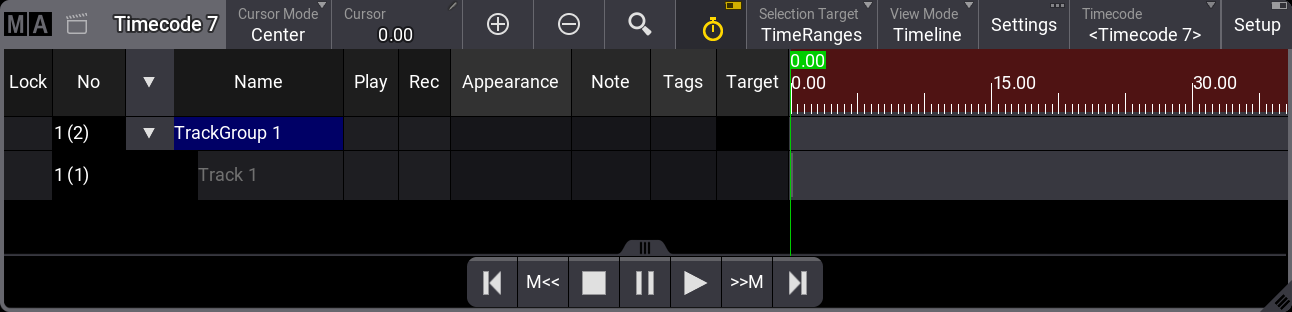
To select a track group, press Select and tap the desired track group in the viewer. The selected track group has a yellow text label.
Track groups can be expanded and collapsed by tapping the arrow on the left-hand side of the track group name.
Track groups can also be selected via the command line. For example, select track group 2 of timecode show 1:

|
User name[Fixture]>Select Timecode 1.2 |
Tracks can be added to track groups by tapping and holding New Track Group when setup mode is active. Learn about setup mode in the Timecode Viewer topic.
Watch the video below to see how to add a track group:
To delete a track or a track group, press Delete and then the desired track or track group. This can be done in normal mode or setup mode.